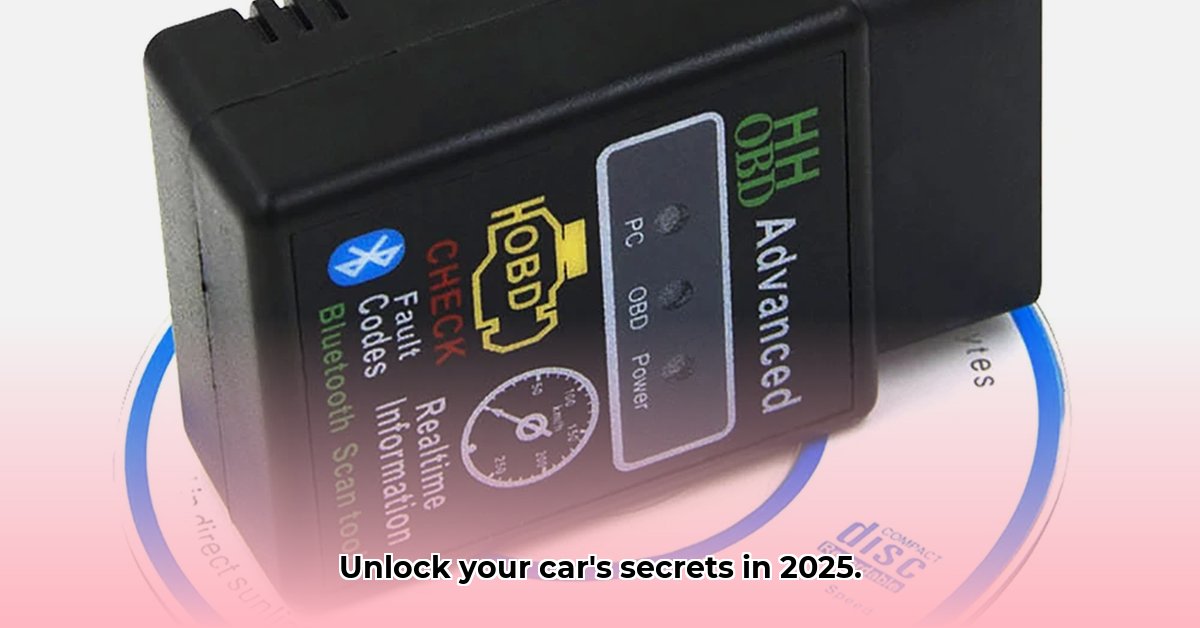
The automotive landscape is changing, and with it, the tools we use to diagnose and repair our vehicles. Gone are the days of relying solely on mechanic's intuition; now, advanced OBD-II scan tools empower both DIY enthusiasts and professional mechanics alike to delve deep into a vehicle's onboard diagnostics. But with a market brimming with options, how do you navigate the choices and unlock the full potential of these powerful devices? This comprehensive guide will equip you with the knowledge to select and master the perfect advanced OBD-II scan tool for your needs.
Choosing the Right Advanced OBD Scan Tool: DIYer vs. Pro
Selecting the ideal advanced OBD-II scan tool hinges on your experience level, budget, and specific diagnostic needs. Are you a weekend warrior tackling minor repairs or a seasoned professional tackling complex engine issues? This crucial decision will shape your tool selection. A mid-range scanner might suffice for simple diagnostics, while professionals require the robust features of high-end models.
Key Factors to Consider
Before diving into specific models, consider these core features:
Bidirectional Control: This powerful feature allows you to actively control vehicle components, such as activating fuel injectors or testing actuators. Essential for professional mechanics, it's also extremely helpful for advanced DIYers wanting to pinpoint the source of problems. (Think of it like remote-controlling parts of your engine for targeted testing).
Data Logging: For those persistent, intermittent issues, data logging is crucial. This highly valuable feature records sensor data over time, revealing patterns that might otherwise go undetected. High-end OBD-II scanners offer extensive data logging capabilities, providing a detailed history of vehicle performance. (Imagine tracking fuel pressure or oxygen sensor readings to spot a repeating pattern tied to a specific fault).
Vehicle Coverage: Before purchasing any scanner, verify its compatibility with your vehicle's make, model, and year. Incompatibility can render your purchase useless. Many manufacturers provide detailed compatibility charts on their websites; double-checking is essential.
Software & Apps: User-friendly software and accompanying mobile apps dramatically enhance the user experience. Look for tools with intuitive interfaces, comprehensive code libraries, step-by-step tutorials, and regular updates. Poor software can severely hamper even the most powerful hardware. (A clunky app will undermine the value of even the best hardware).
Here's a simplified comparison illustrating the differences:
| Feature | DIY Enthusiast | Professional Mechanic |
|---|---|---|
| Price Range | $100-$200 | $200-$1000+ |
| Bidirectional Control | Nice-to-have | Essential |
| Data Logging | Useful, but not always essential | Critical for diagnosing complex, intermittent issues |
| Software/App Features | Basic code lookup and clear explanations | Extensive diagnostic software with advanced capabilities |
Cracking the Code: Understanding Diagnostic Trouble Codes (DTCs)
Advanced OBD scan tools report Diagnostic Trouble Codes (DTCs) – cryptic alphanumeric codes like P0171. While these codes might appear intimidating, they follow a standardized format. The first letter generally identifies the system (P for powertrain), and the subsequent numbers specify the problem. Your scan tool or its companion app should provide detailed explanations. Remember, DTCs are starting points – don't solely rely on them for diagnosis.
Unlocking Advanced Features: Beyond Basic Code Reading
The power of advanced OBD-II scan tools extends far beyond simple code reading. Let's explore these key features:
Live Data Streams: Monitor real-time sensor readings, watching values like engine temperature and oxygen sensor output change dynamically. This real-time monitoring is crucial for pinpointing performance issues. (Think of it like having a live dashboard of your engine's vital signs).
Bidirectional Controls (Actuator Tests): Actively test individual components. You can command a specific fuel injector to fire, allowing you to directly assess its functionality. (This is akin to performing a targeted physical exam of your engine's components).
Data Logging: Record sensor data for extended periods, ideal for intermittent problems. Analyze the recorded data to identify patterns and the root causes of sporadic issues. (Imagine capturing several hours of sensor data to unmask a problem that only appears under specific conditions).
Mastering the Software and Apps: Your Digital Toolbox
Many advanced OBD-II tools offer accompanying software and apps. These digital components significantly enhance your diagnostic abilities:
Code Lookups: Obtain detailed descriptions and troubleshooting advice for DTCs—often far more in-depth than what the tool itself displays.
Vehicle-Specific Information: Access helpful resources like wiring diagrams and troubleshooting guides specific to your car’s make and model. (Say goodbye to tedious hours spent searching through repair manuals).
Software Updates: Regular software updates are vital for maintaining optimal performance, accessing new features, and addressing potential bugs.
Troubleshooting: Common Pitfalls and Their Solutions
Even with advanced tools, you might encounter challenges:
Compatibility Problems: Always verify compatibility before purchase. Incompatibility is a frustrating and potentially costly mistake.
Software Updates: Maintain up-to-date software to ensure optimal operation and access to the latest features.
Misinterpreting DTCs: DTCs are guides, not definitive diagnoses. Use additional resources like repair manuals and online forums for cross-referencing and confirmation.
Remember, an advanced OBD-II scan tool is a powerful diagnostic aid, not a magic bullet. While it greatly enhances your ability to diagnose issues, complex repairs often necessitate professional assistance. Choose wisely, and happy diagnosing!
Choosing the Best OBD-II Scanner: A Step-by-Step Guide
Key Takeaways:
- OBD-II scanner capabilities vary widely. Choice depends on your skills, budget, and diagnostic needs.
- Basic scanners suffice for minor issues; advanced tools provide more in-depth diagnostic capabilities.
- Compatibility is paramount – double-check your vehicle's compatibility.
- Consider the long-term costs: software updates and subscriptions.
Professionals require robust, versatile tools.
Assess your needs: DIYer or professional mechanic? This determines the necessary features.
- Set a budget: Prices span a wide range.
- Verify compatibility: Check manufacturer websites for compatibility with your specific vehicle.
- Research features: Prioritize important features based on your skill level.
- Read reviews: Learn from the experiences of other users.
- Consider software: User-friendliness, update frequency, and subscription costs are vital considerations.
Troubleshooting Common Issues:
Compatibility problems are a frequent hurdle. Always pre-purchase compatibility verification. Software glitches and outdated firmware can also cause issues; regular updates are crucial.
⭐⭐⭐⭐☆ (4.8)
Download via Link 1
Download via Link 2
Last updated: Thursday, June 05, 2025